Driver Portal Reimbursement Claims – Quantity Processing
Overview
When a driver submits a reimbursement claim through the Driver Portal, Catch-e determines the quantity recorded against the maintenance transaction based on the type of claim being submitted.
For tyre-related claims, the system uses the quantity configured against the selected VMRS code. For fuel claims and other reimbursement types, the applicable quantity calculation rules continue to apply.
How Quantity Is Determined
Fuel Claims
For fuel reimbursement claims, the maintenance quantity is recorded using the fuel quantity entered by the driver.
Example
Fuel purchased: 45.75 litres
Recorded quantity: 45.75
Tyre Claims
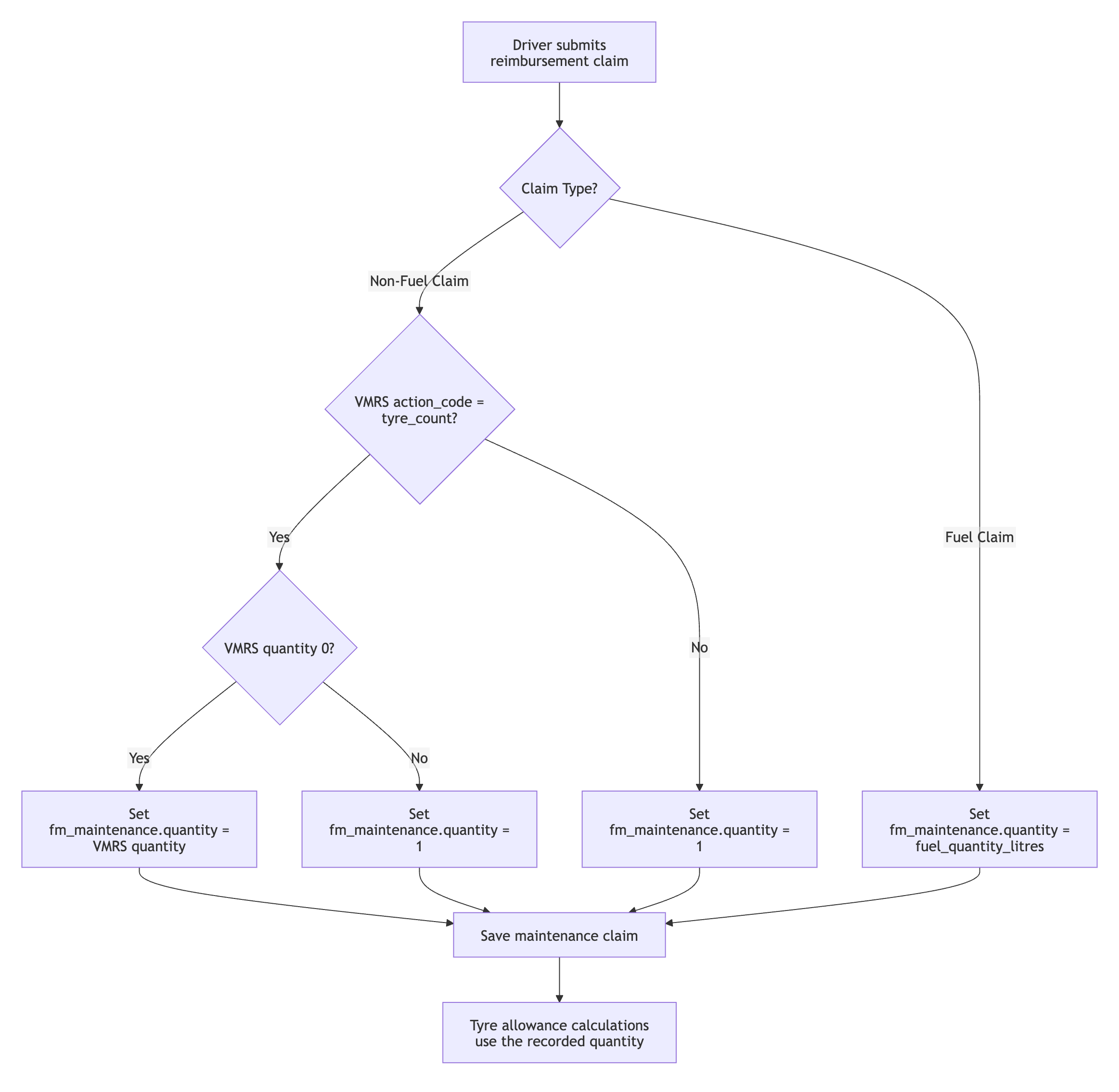
For tyre reimbursement claims, the system checks the selected VMRS code. If the VMRS code is configured as a tyre-count code and has a quantity greater than zero, that quantity is recorded against the maintenance transaction.
Examples
Special Tyre Codes
Some tyre-related VMRS codes are configured with a quantity of zero.
When these codes are selected, the system records a quantity of 1.
Example
Other Maintenance Claims
For reimbursement claims that are not fuel-related and are not configured as tyre-count VMRS codes, the system records a quantity of 1.
Examples include:
Car wash
Registration
Parking
General maintenance items
Tyres Claim Processing Flow
Notes
Quantity processing applies to Driver Portal reimbursement claims.
Tyre allowance calculations use the quantity recorded on the maintenance transaction.
Fuel claim processing uses the fuel quantity entered by the driver.
All other reimbursement claim types record a quantity of 1.
Was this helpful?
Still need help? Ask the team